
The format · By the Closed on Sunday team ·
Closed on Sunday AI Trend: A Guide to the Choir Scene
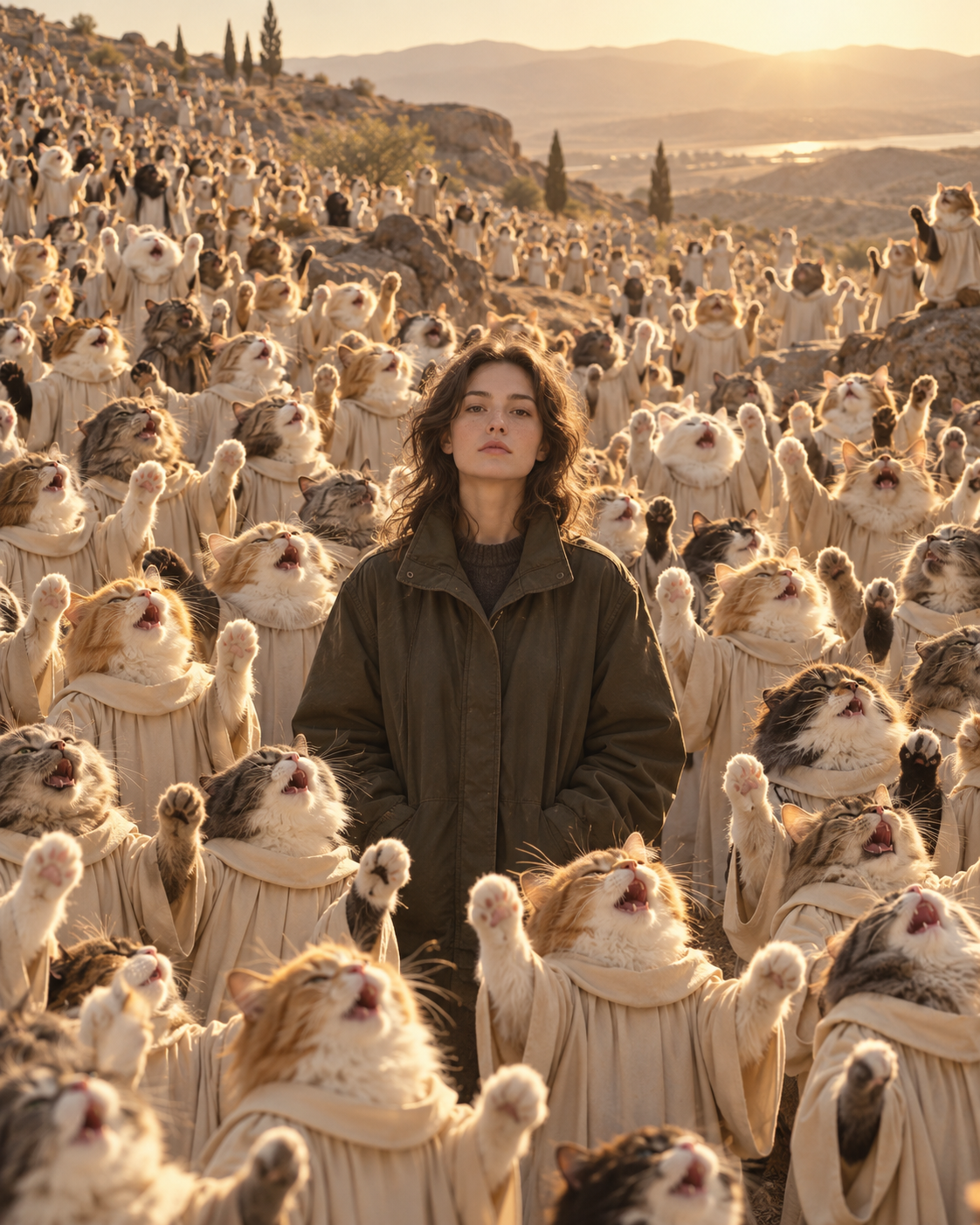
The Closed on Sunday AI format puts a calm person or pet in the middle of a singing crowd. The joke comes from the contrast: everyone around the subject is performing, while the subject simply stands there. This guide explains the composition and how to make a version that keeps that idea clear.
What makes a Closed on Sunday choir video recognizable?
Three elements carry the scene: a recognizable central subject, a surrounding choir, and movement that draws attention back to the still face. A wide view gives the singers enough space to remain part of the picture. If you crop away the crowd, the result can feel like an ordinary animated portrait.
A neutral expression often supports the visual contrast. You do not need an elaborate pose or a dramatic background in the source photo. One clear face gives the generator a more useful reference than a busy group shot. The intended result keeps the central subject quiet while the surrounding cast sings and sways; generated motion and facial details can still vary.
What our generator actually creates
Closed on Sunday AI creates a 15-second, landscape 16:9 video with generated choir audio. You upload one subject photo and select a choir preset. The completed result is an HD MP4 that you can preview and download from My videos. The five-second example on the homepage demonstrates the style, rather than the duration of a purchased generation.
The audio is generated with the scene. It is not a promise to reproduce a specific song or the original commercial recording. If the sound is the reason you are considering a generation, play the homepage example with your speakers on before buying credits.
Choose a cast that supports your idea
The original human choir makes the contrast easy to read: one everyday face surrounded by robed singers. Cats or dogs change the mood toward a playful animal scene. Robots introduce a more unexpected cast, while skeletons and pumpkin heads can suit a seasonal joke.
Your subject and your choir are separate choices. A human portrait can be surrounded by cats, and a photo of your own dog can be surrounded by the original choir. Decide which combination communicates your idea before generating, because the preset is chosen at the start rather than swapped into a finished video.
 The original
 Cat choir
 Dog choir
Keep the composition when you share
Watch the downloaded video at its original landscape size first. Check whether your subject is recognizable and whether the surrounding singers are visible. Listen through the whole clip, including the opening and ending. Review these details before adding captions or making a shorter edit.
For a vertical post, try placing the landscape clip within a vertical canvas instead of immediately filling the frame with a tight crop. Leave caption space outside faces. Preview the final export on a phone: a caption that looks small on a desktop can cover an important part of the choir on a smaller screen.
Before you spend credits
Browse the choir library, watch the example, and choose a clear photo of yourself, a consenting adult, or your own pet. Generation uses paid credits purchased in one-time packs. Check the rate displayed in the studio and the final checkout amount before proceeding.
This is generative video, so a photograph is a reference rather than a guarantee of exact facial identity or precise motion. If you need a specific expression, choreography, or recording reproduced exactly, consider whether a manually edited or filmed scene would better fit that requirement.